Davis Instruments on WindRose.
Vantage Pro2, Vantage Vue, AirLink and EnviroMonitor, read through the WeatherLink v2 API. Full archive history where your WeatherLink plan allows it.
What you need
- A weatherlink.com account that owns the station.
- An API Key v2 and API Secret, which you create yourself in that account.
Step by step
Sign in at weatherlink.com and open Account.
AccountAPI Key v2••••••••••••API Secret••••••••••••Simplified illustration of the WeatherLink screen. Labels can differ slightly between versions. Create an API Key v2. You are shown a Key and a Secret. The Secret is displayed once, so copy it now.
In WindRose open Stations, then Add station, and choose Davis WeatherLink.
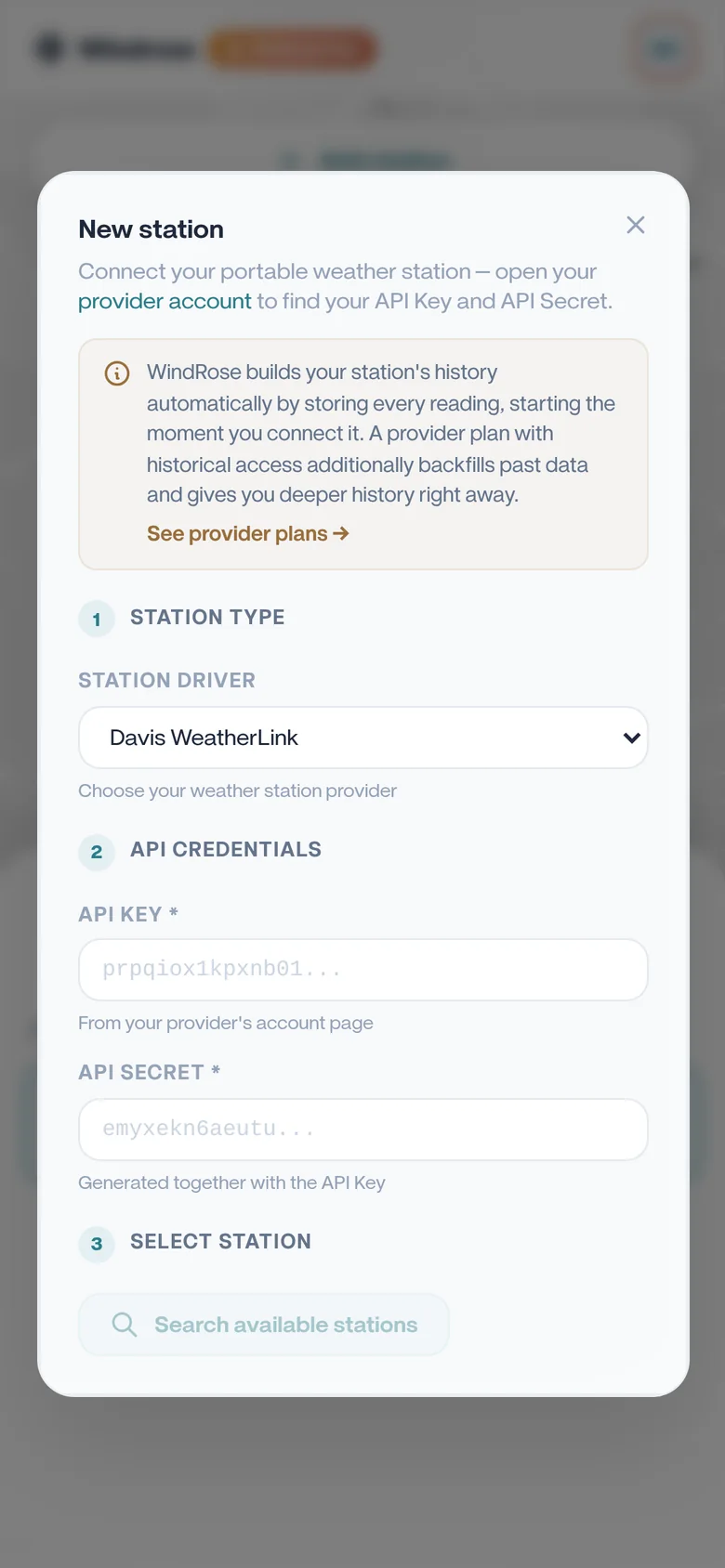
Paste the Key and Secret, then press Look up. Your stations appear; pick the one you want.
Give it a name, choose whether it is private or shared with the community, and save.
Worth knowing
Paste the API Key, not your login e-mail. WindRose refuses the e-mail with an explanation rather than creating a station that would sit silently empty.
History depends on your WeatherLink plan. If the archive API is not included, WindRose builds the charts from its own readings instead, starting the day you add the station.
Try it on your own station.
Free for one station, no card needed. Upgrade only if you want more.